

Prompster
New · Prompster 2.1 for iPhone Duo
The Video Teleprompter
That Keeps You on Track
Read naturally, stay on script, and speak with confidence—without memorizing every word. Prompster gives you everything you need to write, rehearse, record, and present.
Plans from 99¢/week. No free trial. Cancel anytime.


...and that is exactly why preparation matters. When you know your material well,
Speak naturally. Stay on track. Maintain eye contact.
Let your message do the work while the teleprompter follows along with your voice.
Focus on your audience. Focus on your delivery. Focus on what matters.
Stop Memorizing. Start Speaking.
Prompster keeps your words moving so you can focus on your message—not on remembering what comes next.
Look Confident on Camera
Read naturally while keeping your attention where it belongs.
Stay on Script
Keep your words in front of you without losing your place.
Speak at Your Pace
Set a comfortable scrolling speed and deliver naturally.
Record with Confidence
Use Prompster for videos, presentations, lessons, sermons, and more.
Everything You Need to Present with Confidence
Prompster Essential is a complete video teleprompter—not a stripped-down trial.
Unlimited Scripts
Write, import, organize, and keep as many scripts as you need.
Smooth Manual Scrolling
Set the pace that feels natural and adjust it anytime.
Video Recording
Record while you prompt so your message stays polished and on track.
Picture-in-Picture Practice
Rehearse your delivery and see yourself the way your audience will.
Script Formatting
Use bold, italics, underline, highlighting, and adjustable text for easy reading.
Starting at just 99¢ per week.
Open Up. Speak with Confidence.
Prompster 2.1 takes advantage of iPhone Duo's flexible display with more room to prompt, a tabletop presentation experience, and a live Prompt Preview while you edit.
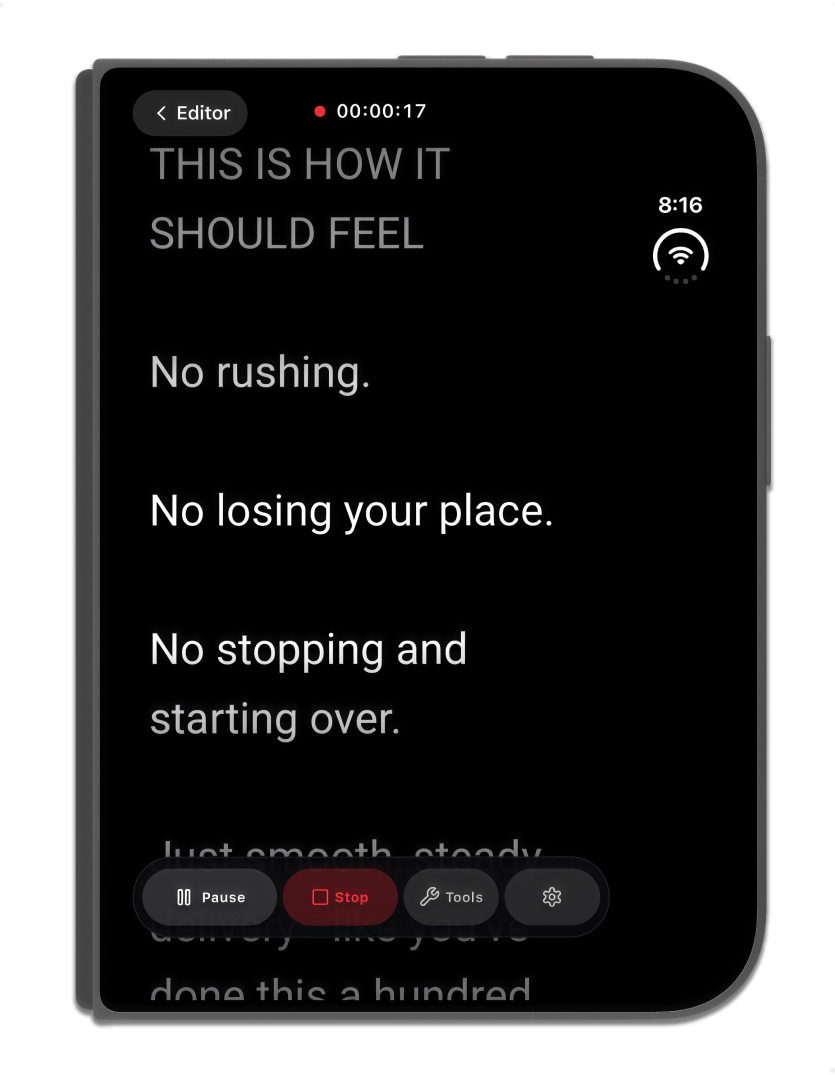
More Room to Prompt
Open iPhone Duo for an expanded Prompt experience with your script and controls optimized for the larger display.
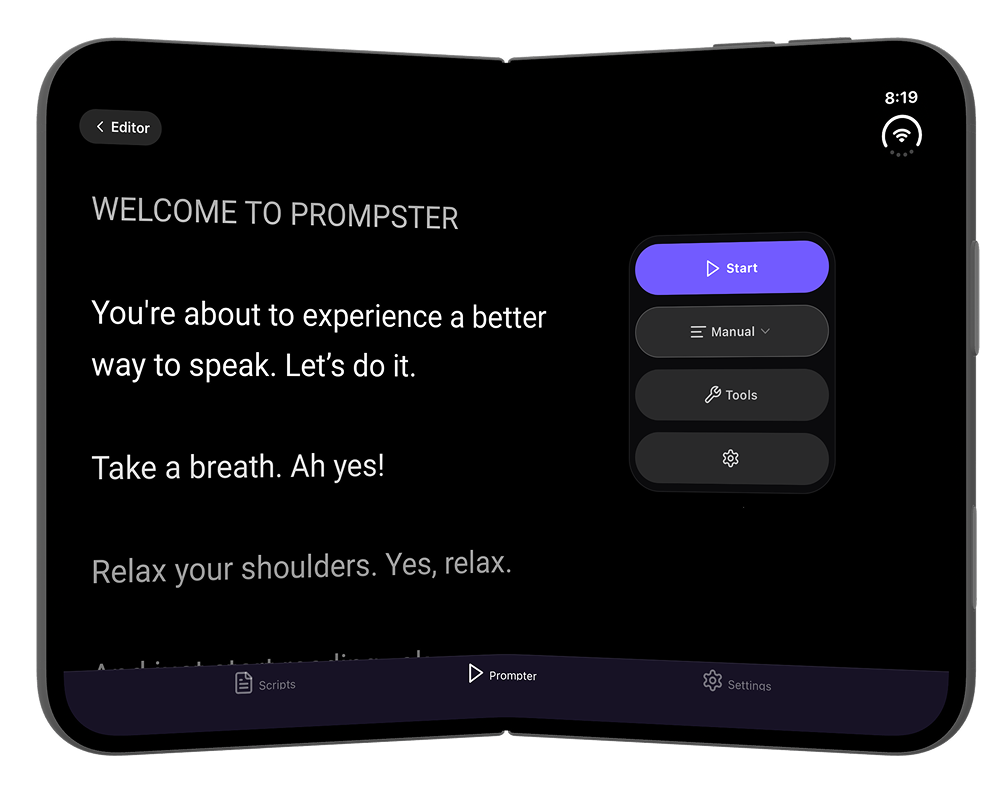
Fold It. Set It Down. Start Speaking.
Partially fold iPhone Duo and turn it into a convenient tabletop teleprompter for presentations and recording.
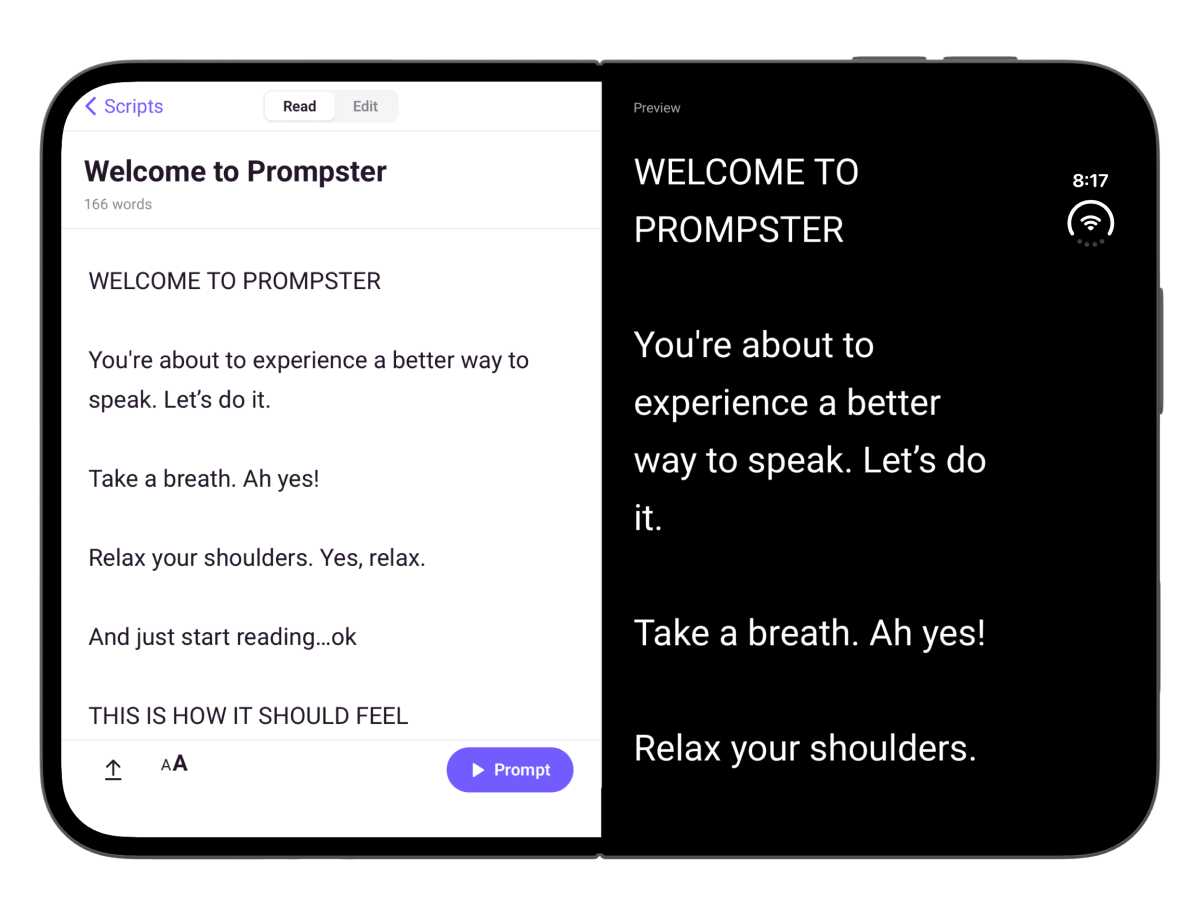
Write. Preview. Present.
Edit your script while viewing a live, read-only Prompt Preview beside it.
Prompster 2.1 also improves camera preview, video and audio recording, Voice Follow reliability, and iPad multitasking.
Prompster 2.1 is now available on the App Store.
Let Your Voice Set the Pace
When you're ready to go beyond manual scrolling, upgrade to Voice Follow. Prompster listens as you speak and automatically keeps your script moving with you.
Slow down. Speed up. Pause. Prompster follows along.
Explore Voice Follow →Welcome everyone to today’s session. I appreciate you all being here.
Today we’re going to cover three key ideas that will change how you approach your next presentation.
The first idea is simple: preparation is more important than memorization.
When you prepare well, you free yourself to be present with your audience.
Go Hands-Free with Prompster Pro
Advanced controls for speakers who want more freedom while they present.
Voice Follow
Your script automatically moves as you speak.
Bluetooth Foot Pedal
Control your teleprompter hands-free on stage or in the studio.
Natural Pacing
Pause, slow down, or speed up without fighting a fixed scroll speed.
Built for Performance
Stay focused on your audience instead of your controls.
Prompster Pro from $4.99/month.
Learn about Prompster Pro →Built for Every Speaker
Whether you're recording a video, teaching a lesson, delivering a sermon, presenting to an audience, or creating a course, Prompster helps you speak with confidence and stay on message.
Trusted by Speakers Since 2011
Prompster has helped speakers, educators, presenters, pastors, and creators deliver with confidence for more than a decade. Originally recognized as a Best Presentation App. Rebuilt for today's generation of speakers and video creators.
Simple Pricing. Start at 99¢/week.
Choose the plan that fits how often you speak.
Weekly
Perfect for a short project or presentation.
Monthly
For regular videos, presentations, lessons, and speaking.
Annual
For speakers who use Prompster throughout the year.
Essential includes
- Unlimited scripts
- Smooth manual teleprompter scrolling
- Script editor and formatting
- Video recording
- Picture-in-Picture Practice Mode
Everything in Essential, plus advanced hands-free controls.
Pro adds
- Voice Follow
- Bluetooth foot pedal control
Voice Follow
Script advances as you speak.
Bluetooth Foot Pedal
Go completely hands-free.
Learn to Speak With Confidence
Explore practical guides on teleprompter use, public speaking, video recording, sermon preparation, and speaking with better eye contact.
What Is a Teleprompter App?
A teleprompter app turns your phone, tablet, or computer into a scrolling script display so you can read while looking toward your camera or audience.
Read articleHow to Maintain Eye Contact While Speaking
Eye contact helps you connect with your audience. Learn practical ways to maintain natural eye contact during presentations, videos, and talks.
Read articleWhat Is a Voice Follow Teleprompter?
A voice follow teleprompter listens as you speak and keeps your script moving with you, so you can stay on track without manual scrolling.
Read articleCommon Questions
What speakers ask about Prompster before getting started.
Stop Memorizing. Start Speaking.
Stay on script, look confident, and focus on your message with a video teleprompter built for real speakers.
Starting at just 99¢ per week.